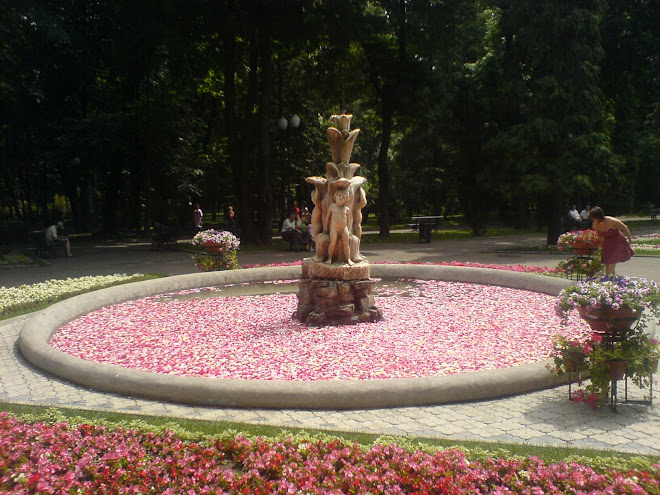
"It is at the edge of a petal that love waits.”
-William Carlos Williams quotes
(American Poet, 1883-1963)


All "Rose Petals from Heaven" copywrite graphics are for

~ Personal Use Only ~

Become a follower and use them on your blogs.

©2010-2025 All rights reserved.

" Rose Petals from Heaven's " Friends :

Showing posts with label Free Blog Button. Show all posts

Thursday, February 10, 2011

Sweet Blessings

I do hope your week is showering you with petals and blessings from above. 


I introduce to you my newest design.  It is a classic and is another favorite of mine.  (Especially his little nose)


Enjoy!


    Instructions for decorating your own sidebar:
    1. Click on "Design" (on your own dashboard)
    2. Now click on "Add a Gadget" (on the sidebar)
    3. Choose HTML/JavaScript
    4. Copy and paste the text in the white box below the button you would like into the HTML/JavaScript content box.
    5. Enjoy!

Monday, February 7, 2011

Bliss

Well, it is the beginning of another week.

I don’t know about you, but I need a little “Bliss” to begin this Monday. 

Best part?  No Calories.

As always, feel free to use the code and decorate your sidebar with "Rose Petals from Heaven's"  Bliss.

A blissful welcome to all of the new followers to "Rose Petals from Heaven" and a fragrant rosefully *hug* to those who encourage and share their wisdom, inspiration, and talent with those of us through your "Blog Worlds".

Enjoy!


slider-flourish_thumb_thumb_thumb_th[2] 
ccake008sb
    Instructions for decorating your own sidebar:
    1. Click on "Design" (on your own dashboard)
    2. Now click on "Add a Gadget" (on the sidebar)
    3. Choose HTML/JavaScript
    4. Copy and paste the text in the white box below the button you would like into the HTML/JavaScript content box.
    5. Enjoy!

Sunday, February 6, 2011

Blossoms

I do hope your Sunday is spent in contentment and peace.

I found this timeless wisdom from Rumi and made it a beautiful Blog graphic for my sweet followers.

Enjoy!


slider-flourish_thumb_thumb_thumb_th_thumb[1]

rpfh_bf001sb
    Instructions for decorating your own sidebar:
    1. Click on "Design" (on your own dashboard)
    2. Now click on "Add a Gadget" (on the sidebar)
    3. Choose HTML/JavaScript
    4. Copy and paste the text in the white box below the button you would like into the HTML/JavaScript content box.
    5. Enjoy!

Tuesday, February 1, 2011

Fancy Cakes

Last night, I had a touch of a “sweet tooth” so as a result…
Whala!

…Fancy Cakes.


Enjoy!


fc002


    Instructions for decorating your own sidebar:
    1. Click on "Design" (on your own dashboard)
    2. Now click on "Add a Gadget" (on the sidebar)
    3. Choose HTML/JavaScript
    4. Copy and paste the text in the white box below the button you would like into the HTML/JavaScript content box.
    5. Enjoy!

Friday, January 28, 2011

Celebrate Color!

This is why I love computer graphics.  (I can’t do this in the “real” world.)
Like magic, I transformed my design from yesterday into the most beautiful shades of color.
(I figured you were probably getting tired of “pink”.)
I have not had the time to get source codes together yet for the gadgetry.
But feel free to use these in your “Blog Worlds” if you don’t need the source codes.
I will be posting the source codes soon.
Let me know what your favorite color is below…mine is the second one. 
Have an awesome Friday and remember to be kind to yourself!

rpfh_iyi001309prpfh_iyi0008prpfh_iyi0006prpfh_iyi001209prpfh_iyi001109p

Thursday, January 27, 2011

A Wonderful Treat For You!

I have a wonderful treat for you today.
I have made you something special.
Something to sparkle up your Blog sidebar in the middle of Winter.
Enjoy!

rpfh_iyi0006


           (click to enlarge)


slider-flourish_thumb_thumb_thumb_th_thumb[1]


    Instructions for decorating your own sidebar:
    1. Click on "Design" (on your own dashboard)
    2. Now click on "Add a Gadget" (on the sidebar)
    3. Choose HTML/JavaScript
    4. Copy and paste the text in the white box below the button you would like into the HTML/JavaScript content box.
    5. Enjoy!

Wednesday, January 26, 2011

How Sweet!

I do hope you are having a blessed week.  It is already Wednesday!  *happy dance*  (I love my weekends)
    

In order to keep you in the mood of Valentine’s Season, I have made you something sweet.
    

Enjoy!


    Instructions for decorating your own sidebar:
    1. Click on "Design" (on your own dashboard)
    2. Now click on "Add a Gadget" (on the sidebar)
    3. Choose HTML/JavaScript
    4. Copy and paste the text in the white box below the button you would like into the HTML/JavaScript content box.
    5. Enjoy!

Saturday, January 22, 2011

The Dance

Breathing a sigh of relief (from an emotional week) led me to my newest design.

It all started with a verse that presented itself to me on my way home from work yesterday .

“For where your treasure is, there your heart will be also.”
– Luke 12:34
 
So with the above verse mixed with a whole lotta thankfulness my newest design was born.

Enjoy!


Today I'm celebrating over at Beverly's Pink Saturday party,  You must visit us...


    Instructions for decorating your own sidebar:
    1. Click on "Design" (on your own dashboard)
    2. Now click on "Add a Gadget" (on the sidebar)
    3. Choose HTML/JavaScript
    4. Copy and paste the text in the white box below the button you would like into the HTML/JavaScript content box.
    5. Enjoy!

Thursday, January 20, 2011

KiKi Update

Well…Good news!
  
KiKi’s only problem was a gallbladder full of “sludge”…(must be a medical term)  *smiling*  This is hindering her liver from functioning properly.
     
Her entire abdomen is fine.  Her intestines looked pushed to the side due to how they positioned her for her x-ray.
We have antibiotics and medication to eliminate the “sludge”;  Three months worth.
     
For now, she is my little “sludge bucket”.  *wink*

Thank you so very much for all of your well wishes sent our way.  (They worked!!!)

Flourish2-1By request, here are the codes to a few more buttons:

bench16sb

bench18sb 

bench17sb 

bench19sb 

 
    Instructions for decorating your own sidebar:
    1. Click on "Design" (on your own dashboard)
    2. Now click on "Add a Gadget" (on the sidebar)
    3. Choose HTML/JavaScript
    4. Copy and paste the text in the white box below the button you would like into the HTML/JavaScript content box.
    5. Enjoy!
     

Thursday, November 18, 2010

NEW Friday Freebie Graphic – For Your Blog!

It is finally Friday. 
*happy dance*

I have a new treat for my sweet followers.  I have created a wonderful new blog button to make your blog beautiful.

It seems we spend alot of time creating our own little "Blog Worlds" so I wanted to make something to celebrate the comfort we all feel at each other's blogspots.


cggcolorbsb

(click to enlarge)


I have made the button two ways.  You can choose your favorite...with the shadow and white background or without.


Enjoy! 

slider-flourish 
cggcolorbsb


slider-flourish


Instructions for installing this button on your BlogSpot:
    1. Click on "Design"
    2. Now click on "Add a Gadget"
    3. Choose "HTML/JavaScript"
    4. Copy and paste the text in the content box shown below the graphic on this page.
    I have played with a couple of other colors:

Wednesday, November 3, 2010

Free Beautiful Blog Button for You


I continue to be inspired by your blogs.  What a wonderful way to journey through your worlds of beauty. 

“Beauty awakes inspiration, but inspiration for beauty is the highest beauty itself.”  -  Goethe
Enjoy!


Instructions for installing this button on your BlogSpot:
    1. Click on "Design"

    2. Now click on "Add a Gadget"

    3. Choose "HTML/JavaScript"

    4. Copy and paste the text in the content box shown below the graphic on this page.

Thursday, October 21, 2010

Glass Slipper – Free Blog Graphic

My sweet husband is taking me to Maui for a weekend in November.  (He’s a keeper)

No reason, just a spontaneous romantic get-away. So, my new design originates from my state of mind right now.

I would like to share it with all the followers of “Rose Petals from Heaven.”

I really like this one a lot. I think you will too.

Enjoy!


1YQ3W[1]


Instructions for installing this button on your BlogSpot:
    1. Click on "Design"
    2. Now click on "Add a Gadget"
    3. Choose "HTML/JavaScript"
    4. Copy and paste the text in the content box 
        shown below the graphic on this page.